
Classic Jigsaw
Greyfun GamesTrivia
4.8118.00 Reviews
- Version
- 1.1.6
- Installs
- 1.00M
- Age Rating
- Everyone
Screenshots
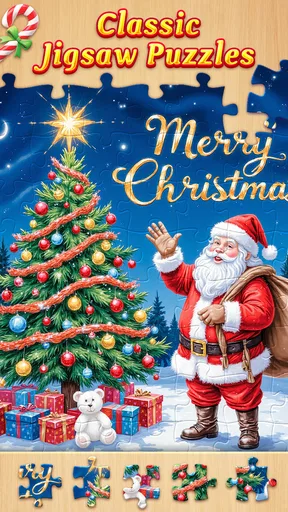
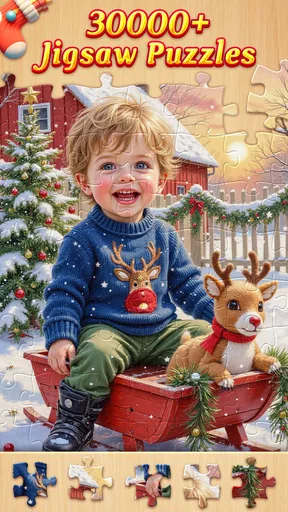

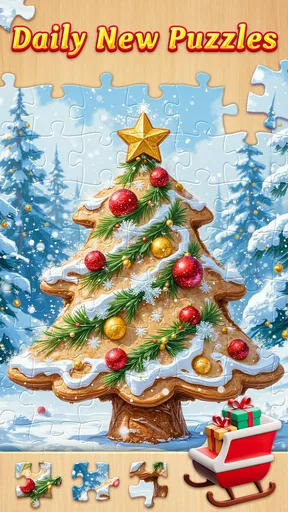

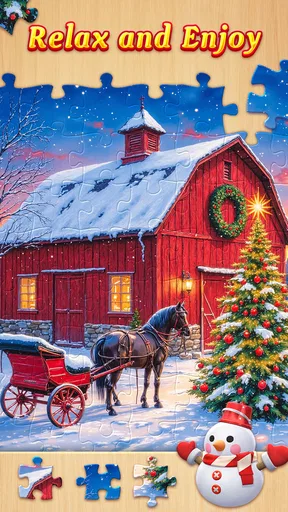
Our Review of Classic Jigsaw
 Analysis by Appyee
Classic Jigsaw is the kind of trivia game I reach for when I want something quiet rather than competitive. Its central idea is simple: assemble large puzzle pieces, take your time, and let the activity occupy your attention without demanding a complicated tutorial. That makes it an easy game to understand, but the real question is whether that simplicity remains enjoyable after the first few sessions.
After spending time with it, I see Classic Jigsaw as a relaxed puzzle companion rather than a feature-packed game. It is made by Greyfun Games, belongs to the trivia category, and is free to play. The audience is broad because its content rating is Everyone, while the minimum operating-system requirement is Android 7.1. Those details matter if you are looking for something approachable for a family device or an older phone.
The game has attracted over 500 thousand installs and holds a 4.8 average from around 8.5 thousand ratings. That level of interest suggests that its straightforward format is connecting with many players, although popularity alone does not tell me whether it will suit your preferred puzzle style. My experience is that its appeal depends heavily on whether you enjoy a calm, uncluttered activity more than constant novelty.
How Classic Jigsaw feels during ordinary play
In ordinary play, I find the appeal lies in how quickly the board gives me something clear to focus on, without turning a spare moment into a commitment. I’d treat a completed puzzle as a natural pause, then decide whether I’m in the mood to start again rather than chasing a streak or score. That makes the next session feel like a fresh choice, not an obligation.
A gentle start with very little learning overhead
The first strength is how quickly the game makes sense. Large pieces reduce the visual intimidation that can come with a crowded jigsaw board, especially on a phone where small shapes can become tiring to inspect. I did not feel that I needed to memorize a complex system before beginning. The basic rhythm is immediately readable: look for a useful shape, compare it with the image, and gradually build order from scattered pieces.
That approach is particularly comfortable for short sessions. If I have only a few minutes while waiting for an appointment, I can begin without preparing a strategy or remembering a complicated objective. The game does not ask me to react quickly, so I can pause mentally, reconsider a piece, and continue at my own pace. For a relaxing puzzle, that low pressure is more important than flashy presentation.
There is also a practical advantage to large pieces: they make mistakes easier to understand. When a piece does not belong, the problem is usually visible rather than buried among dozens of tiny shapes. This makes the experience more suitable for younger players, older relatives, or anyone who finds fine visual detail uncomfortable. It is not a substitute for accessibility settings, but the basic design choice helps on its own.
Why the pace matters more than raw speed
When I judge a game like this, I do not expect racing-game responsiveness. The useful question is whether the interface lets me think without getting in the way. Classic Jigsaw benefits from a pace that feels deliberate. Its premise encourages concentration, so a frantic tempo would work against the reason to open it in the first place.
That said, slow play can be interpreted in two ways. For someone seeking relaxation, the unhurried rhythm is the point. For someone who wants a demanding brain-training challenge, it may feel too soft. The game is better suited to winding down than to testing how quickly you can recognize patterns under pressure.
A helpful personal routine is to use it as a transition between activities. I might play briefly after finishing work, before reading, or during a quiet evening when I do not want another loud or competitive app. The large-piece format gives my eyes a clear task, while the absence of an urgent countdown lets me stop without feeling punished.
What happens when a session becomes longer
Longer sessions reveal the main trade-off. The same simplicity that makes the opening welcoming can eventually make the experience feel repetitive if you need a steady stream of new mechanics. Classic Jigsaw is not the game I would choose when I want dramatic progression, rapid difficulty changes, or a social leaderboard to chase. Its satisfaction comes from completing the current arrangement, not from building a complicated profile of achievements.
That does not make it shallow for every player. Jigsaw fans often enjoy the repeated process itself: sorting, testing, correcting, and seeing the picture become coherent. The game works best when that loop is enough. If you need every session to introduce a new rule, the restrained design may not hold your attention for long.
How I would use it in a real everyday situation
Imagine having a family tablet that is shared between adults and children. A younger player can understand the large-piece concept without reading a long explanation, while an adult can use the same game for a quiet break. Because the age rating is Everyone, it is easier to consider for a mixed-age household than a trivia title built around mature subjects or aggressive competition.
I would still supervise a child’s overall device use, of course, but the game’s basic concept is less demanding than many action-oriented alternatives. It can also work for someone who wants a low-stakes activity during a commute, provided the device is being used safely and the player has a stable place to concentrate. The important point is that the game fills small gaps in the day without requiring a major time commitment.
Three useful habits that improve the experience
My first tip is to avoid grabbing pieces at random for too long. Start with distinctive colors, straight edges, or an obvious section of the picture. Large pieces make this sorting approach especially effective because visual clues are easier to separate. It turns the board from a pile of possibilities into a few manageable groups.
Second, I recommend changing your viewing distance rather than staring harder at the screen. Holding the device slightly farther away can make the overall image clearer, while moving closer helps with shape details. This small habit reduces the temptation to repeatedly tap the same uncertain piece and makes longer sessions more comfortable.
Third, treat completion as a natural stopping point instead of forcing a second round immediately. The game’s relaxing character works better when I leave it feeling refreshed rather than turning the activity into another task. This is a subtle but important difference from competitive trivia games, where the next round is often designed to pull me straight back in.
Stability and recovery in normal use
I approach reliability carefully with a simple puzzle game. There is no reason to expect the same resource demands as a graphically intense action title, but I also would not promise identical behavior on every phone. Device age, available storage, background apps, and the operating system can all affect how smoothly any mobile game feels.
On a compatible device, the uncomplicated presentation should make the game feel less demanding than many modern games with busy scenes and constant animation. That is an expectation based on the nature of the experience, not a claim about a particular battery percentage or memory measurement. If your phone already struggles with basic apps, closing unused programs before playing is still sensible.
Recovery is another reason I prefer the game’s calm format. A short puzzle session is easier to resume than a long competitive match, because there is less pressure to return at a precise moment. If I need to put the device down, the activity naturally supports interruption. I would still avoid assuming that every unfinished state is preserved in exactly the same way after force-closing the app or restarting a device; keeping the application open normally is the safer habit when a board matters to you.
Device limits worth considering before downloading
The minimum requirement of Android 7.1 makes Classic Jigsaw available to a wide range of Android hardware, including devices that are not new. Compatibility is encouraging, but it should not be confused with a guarantee of identical performance. A phone can meet the operating-system requirement and still feel less comfortable if its screen is small, its touch response is inconsistent, or its battery is already weak.
Screen size is especially relevant here. Large pieces are helpful, but a compact display can still make the board feel crowded depending on how much of the puzzle is visible at once. I would favor a tablet or a phone with a comfortable screen if you plan to play for extended periods. On a smaller handset, short sessions are likely to be more pleasant than trying to complete everything in one sitting.
Older hardware may also make loading or returning to the game feel less immediate than it would on a newer device. I would not treat that as a flaw unique to this title. The practical advice is to install it on the device you actually intend to use and judge the touch response, visual comfort, and resume behavior during a brief session before committing to longer play.
Where it differs from other trivia and puzzle choices
Compared with quiz games, Classic Jigsaw asks for visual organization rather than stored knowledge. There are no facts to remember, answers to race toward, or embarrassing wrong responses to manage. That makes it a better option when I want mental engagement without the feeling of being tested. It is still a trivia-category game, but its practical appeal is closer to a traditional jigsaw activity than to a question-and-answer contest.
Compared with elaborate digital jigsaw alternatives, its large-piece approach is less intimidating and easier to pick up. The compromise is that players looking for highly customizable challenge may prefer a more advanced puzzle app. Those alternatives can be better when you want fine control over complexity, a stronger progression system, or a broader set of specialized tools. Classic Jigsaw is the better choice when convenience and calm matter more than depth.
It also differs from action games in how it uses attention. There is no need to monitor enemies, memorize controls, or react to sudden events. That makes it a reasonable choice for a quiet break, but a poor choice if you want excitement or a strong sense of urgency. The right comparison is not “which game has more content?” but “what kind of mental energy do I want to spend?”
Who will enjoy it most
I would recommend it to casual puzzle players, families seeking a simple shared activity, and people who like visual tasks that can be started and stopped easily. It is also a good fit for anyone who finds small digital pieces frustrating and appreciates a board that feels readable from the beginning. The free price removes the need to make a financial commitment before discovering whether the style suits you.
The current version is 1.1.3, so checking that your installation is current is a sensible step when troubleshooting. I would also make sure the device has enough free space and that other demanding apps are closed if the phone is older. These are ordinary precautions, but they matter more on modest hardware than on a recent device.
Who should choose something else
I would skip it if your main goal is competitive trivia, rapid rounds, social interaction, or a deep sense of progression. Someone who wants difficult knowledge questions will probably get more value from a dedicated quiz game. Likewise, players who need advanced puzzle controls may find the large-piece simplicity limiting rather than relaxing.
I would also hesitate to recommend it as the only game for a person who quickly loses interest in repeated visual sorting. Its strength is consistency, and consistency can feel like sameness if you depend on constant surprises. Before installing, ask yourself whether completing a picture sounds satisfying on its own. If the answer is no, a more varied puzzle collection may be a better match.
My performance verdict
Classic Jigsaw delivers a clear, low-pressure experience that should be comfortable for many compatible Android devices, especially when compared with visually demanding games. I like that its large pieces make the board approachable and that its pace supports short breaks as well as slower sessions. The free price and Everyone rating make it easy to try in a household with different kinds of players.
My reservation is not about complexity causing confusion; it is almost the opposite. The game’s simplicity is carefully focused, but that focus means it will not satisfy everyone. It does not replace a competitive quiz, a feature-heavy jigsaw simulator, or an action game. It succeeds when you want a quiet visual task, and it becomes less convincing when you expect a constantly changing challenge.
Overall, I would keep Classic Jigsaw installed for relaxed moments rather than intense play. Greyfun Games has chosen an accessible direction, and the strong average rating from its player base reflects how well that uncomplicated idea can work for the right audience. If your ideal mobile game lets you slow down, organize your thoughts, and stop whenever you like, this is an easy recommendation. If you need speed, competition, or advanced customization, I would look elsewhere instead.
Privacy and Permissions
See what permissions an app requests and how it handles your data.
- Photos/Media/Files
- read the contents of your USB storage, modify or delete the contents of your USB storage
- Storage
- read the contents of your USB storage, modify or delete the contents of your USB storage
- Wi-Fi connection information
- view Wi-Fi connections
- Other
- view network connections, full network access, draw over other apps, control vibration, prevent device from sleeping, Google Play license check
Verdict
Strengths of Classic Jigsaw
- Relaxing gameplay suitable for short or extended sessions.
- Useful hint option helps when a puzzle becomes difficult.
- Multiple difficulty levels accommodate beginners and experienced players.
- Offline play makes it convenient during travel or without internet.
- Simple interface is easy to understand for all age groups.
Limitations of Classic Jigsaw
- Some puzzles may feel repetitive after extended play.
- Tile placement can become fiddly on smaller phone screens.
- Hints may reduce the challenge for experienced puzzle fans.
- Limited social features offer little interaction with other players.
- Frequent players may want more regular puzzle content updates.
Other Releases by Greyfun Games
View All
Nut Sort: Color Match Game
Trivia4.9

Jigsaw Puzzles - HD Adventure
Trivia4.8

Number Match: Train your brain
Trivia5.0

Find Differences: Spot it!
Trivia4.9
Similar Picks in This Category
View All
Millionaire 2026 Quiz & Trivia
Quiz & Trivia Games by Submarine Apps4.5

Brain Test 2: Tricky Stories
Unico Studio4.7

Trivia Crack: Brain Quiz Games
etermax4.4

QuizzLand. Quiz & Trivia game
Quiz & Trivia Games by Mno Go Apps4.8

Brain Test: Tricky Puzzles
Unico Studio4.7

Logo Quiz
bubble quiz games4.5
Frequently Asked Questions
What is Classic Jigsaw?
Classic Jigsaw is a digital puzzle game designed for players who enjoy assembling images piece by piece. It generally offers a collection of relaxing, visually appealing puzzles with different piece counts and difficulty levels. The familiar gameplay makes it suitable for casual sessions, while larger puzzles can provide a longer and more challenging experience for dedicated puzzle fans.
Is Classic Jigsaw suitable for beginners and experienced players?
Yes. Classic Jigsaw is usually approachable for beginners because players can start with puzzles containing fewer pieces and gradually increase the difficulty. More experienced users can choose larger layouts, more complex images, or less obvious color patterns. This adjustable progression makes the game suitable for children, casual players, and adults looking for a more demanding mental activity.
Does Classic Jigsaw work without an internet connection?
Many of the core puzzle features in Classic Jigsaw can be used offline, which is convenient when traveling or when a stable connection is unavailable. However, certain features may require internet access, including downloading additional puzzle collections, displaying advertisements, synchronizing progress, or accessing online content. Availability can vary depending on the app version and device.
Are there advertisements or in-app purchases in Classic Jigsaw?
Classic Jigsaw may include advertisements, particularly in a free version, and some editions can offer optional in-app purchases. These purchases may remove ads, unlock additional image collections, or provide other convenience features. Before downloading, users should review the store listing and purchase information carefully, especially if the app will be used by children or on a shared family device.
What devices are compatible with Classic Jigsaw?
Classic Jigsaw is intended for mobile devices running a supported version of Android or iOS, depending on the edition available in the relevant app store. Compatibility can differ between phones and tablets, and older devices may experience slower performance or limited storage. Checking the official store page before installation is recommended to confirm operating-system requirements and available space.
Play our best games!


